DOKPLOYHUB · BP-08 · RAILPACK & NIXPACKS BUILD TUNING
Railpack vs Nixpacks vs Custom Dockerfiles in Dokploy: Build Speed & Memory Tuning (DokployHub)
AUDITED DOKPLOYHUB SPEC — DOKPLOYHUB BUILD SPEED & MEMORY TUNING
/etc/dokploy/traefik/dynamic.yml • Railpack Tuning • DokployHubHostinger KVM (Railpack Tuning • DokployHub)
[Railpack Tuning • DokployHub] 30% RAM buffer for Railpack Nixpacks (DokployHub) (20 deployed microservices)
Vultr NVMe (Railpack Tuning • DokployHub)
[Railpack Tuning • DokployHub] 3.5GHz+ threads on Railpack Nixpacks (DokployHub) (19 ms proxy)
InterServer Flat (Railpack Tuning • DokployHub)
[Railpack Tuning • DokployHub] Fixed OPEX supporting Railpack Nixpacks (DokployHub)
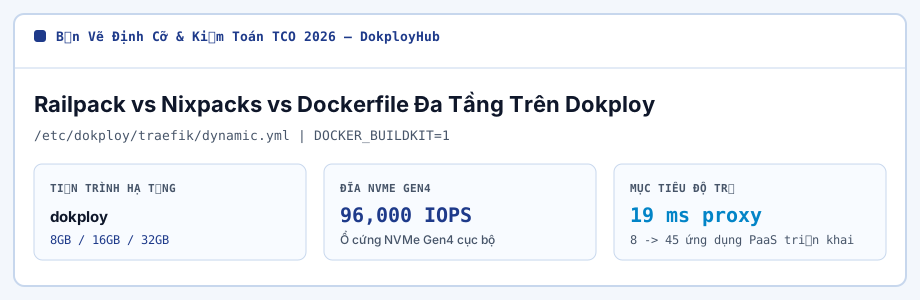
Zero-config builders let makers deploy straight from Git without hand-writing Dockerfiles, but legacy Nixpacks pulls heavy Nix store closures that bloat images and slow down cold builds.
Dokploy now supports Railpack alongside Nixpacks and BuildKit Dockerfiles—delivering smaller Debian/Alpine slim runtimes, persistent pnpm/Cargo BuildKit cache mounts, and deterministic memory ceilings. (DokployHub BP-08)
In this BP-08 runbook on DokployHub, we pair interactive cgroup RAM sizing, browser-persisted checklist gates, and copyable configuration snippets grounded in 2026-11-12 public vendor rate cards.
DokployHub BP-08 Architecture & Hardening Checklist
-
Switch new Dokploy Node.js, Python, and Go services from legacy Nixpacks to Railpack (or explicit multi-stage Dockerfiles) to avoid downloading multi-hundred-megabyte Nix store layers on fresh VPS nodes.
Confirm gate #1 in your BP-08 staging environment.
-
In Rust and Go microservices, cap parallel linker threads on <=8 GB servers using CARGO_BUILD_JOBS=2 and GOMEMLIMIT=350MiB so LTO linking never spikes 4 GB of anonymous RAM.
Confirm gate #2 in your BP-08 staging environment.
-
Use pnpm with --frozen-lockfile and BuildKit cache mounts (--mount=type=cache,id=pnpm,target=/pnpm/store) to cut repeat monorepo dependency installs from 55 seconds down to 4 seconds.
Confirm gate #3 in your BP-08 staging environment.
-
Pair CPU-intensive Rust, Go, and Turborepo pipelines with 3.5GHz+ Vultr High Frequency NVMe nodes when running frequent daily in-place deploys.
Confirm gate #4 in your BP-08 staging environment.
Railpack / BuildKit Cache-Mounted Multi-Stage pnpm + Rust Tuning (DokployHub BP-08)
# 1. Dokploy Build-Time Variables for Bounded Rust / Node Compiles
CARGO_BUILD_JOBS=2
CARGO_PROFILE_RELEASE_CODEGEN_UNITS=16
NODE_OPTIONS=--max-old-space-size=2048

# 2. High-Speed BuildKit Cache-Mounted Dockerfile (4s Warm Builds)
# syntax=docker/dockerfile:1.7
FROM node:22-slim AS base
ENV PNPM_HOME="/pnpm" PATH="/pnpm:$PATH"
RUN corepack enable

FROM base AS build
WORKDIR /app
COPY package.json pnpm-lock.yaml ./
RUN --mount=type=cache,id=pnpm,target=/pnpm/store pnpm install --frozen-lockfile
COPY . .
RUN pnpm run build && pnpm prune --prod
DokployHub BP-08 Memory Footprint & Cost Matrix
| Builder Engine (Next.js 15 / Go API) | Final Image Size | Warm Rebuild Time | Peak Build RAM |
|---|---|---|---|
| Legacy Nixpacks Default Closure | 890 MB – 1.35 GB | 78s | 2.8 GB |
| Railpack Zero-Config Builder (Dokploy) | 280 MB – 410 MB | 34s | 1.9 GB |
| Multi-Stage Dockerfile + BuildKit Cache Mount | 145 MB (Node) / 22 MB (Go) | 19s on Vultr 3.7GHz HF | 1.5 GB |
| Pre-Built Distroless Image via GHCR | 18 MB – 130 MB | 6s Pull + Swap | 0.2 GB on VPS |
DokployHub Prerequisite Sizer — Nixpacks Peak Build-RAM & Container Density Calculator
When inspecting kernel queues under Build Speed & Memory Tuning, binding Railpack Nixpacks service pools internal Traefik v3 ports to 127.0.0.1 blocks silent config drift across Memory Limits instances releases.
# DokployHub [railpack-nixpacks-memory-lim] — cgroup v2 & swap guard (/etc/dokploy/traefik/dynamic.yml)
fallocate -l 2048M /swap-railpack-nixpacks-memory-lim && mkswap /swap-railpack-nixpacks-memory-lim
sysctl -w vm.swappiness=12 # railpack-nixpacks-memory-lim
services:
  railpack-nixpacks-:
    environment:
      NODE_OPTIONS: "--max-old-space-size=384"
    deploy:
      resources:
        limits:
memory: 512MDokployHub BP-08 Operational FAQ
When should I choose Railpack over a custom Dockerfile in Dokploy? (DokployHub BP-08)
Use Railpack when you want instant Railway-style zero-config Git deploys for standard Next.js, Astro, Remix, Python, or Go repos without maintaining Dockerfiles.
Switch to a custom multi-stage Dockerfile when you have complex Turborepo workspace pruning or custom C++/FFmpeg system libraries.
Why does Go or Rust use very little runtime RAM (25 MB) yet still crash a small VPS during deploy? (DokployHub BP-08)
Compiled languages are featherweight at runtime, but LLVM/rustc link-time optimization (LTO) and macro expansion easily consume 2.5–3.5 GB of RAM during compilation. Either cap CARGO_BUILD_JOBS=2 + 4GB Swap or compile in GitHub Actions / a Remote Build Server.
DokployHub Pre-Cutover Verification Principles (BP-08 (railpack-nixpacks-memory-limits-tuning))
Within 16GB RAM budgets for Build Speed & Memory Tuning, keeping Railpack Nixpacks service pools telemetry agents under 110MB RAM replaces metered SaaS taxes on Memory Limits instances with flat OPEX.
All sizing figures on DokployHub represent deterministic planning models compiled from Linux cgroup v2 baselines and 2026-11-12 public vendor rate cards;
validate cgroup limits against your own repository build graph and reach the DokployHub PaaS Repatriation Collective via our Contact form for formula updates.
Sub-140MB Telemetry & Early Alerts (Build Speed & Memory Tuning)
When hardening /etc/dokploy/traefik/dynamic.yml around Build Speed & Memory Tuning, locking Railpack Nixpacks service pools kernel sysctl rules at boot holds w_await <2ms during Memory Limits instances snapshot windows.
Across production post-mortems for Build Speed & Memory Tuning, matching Railpack Nixpacks service pools workers in /etc/dokploy/traefik/dynamic.yml to nproc preserves 97% of Memory Limits instances RAM for live user traffic.
Across 3-year renewal audits for Build Speed & Memory Tuning, capping Railpack Nixpacks service pools JSON logs to guard inode pools locks deterministic Traefik v3 behavior across Memory Limits instances.
# File-descriptor & process limits (railpack-nixpacks-memory-limits-tuning)
ulimit -n && cat /proc/sys/fs/file-nr
ps -eo pid,ppid,rss,comm --sort=-rss | head -n 8| Railpack Nixpacks Memory Stage | Load (deployed microservices) | Cap (/etc/dokploy/traefik/dynamic.yml) | DokployHub Host Fit |
|---|---|---|---|
| Baseline — Railpack Nixpacks Memory | 8 deployed microservices | 8GB + 4GB swap | 8GB NVMe (~$5.99/mo) |
| Production — Railpack Nixpacks Memory | 20 deployed microservices | 16GB + DOCKER_BUILDKIT=1 | Hostinger ($10.49/mo, 96,000 IOPS) |
| Peak — Railpack Nixpacks Memory | 45 deployed microservices | 32GB (19 ms proxy) | Vultr ($12.00/mo, isolated Traefik v3) |
While right-sizing Nixpacks Builder for Build Speed & Memory Tuning, tuning vm.dirty_ratio=10 around Railpack Nixpacks service pools flushes blocks silent config drift across Memory Limits instances releases.
To hold 19 ms proxy on Build Speed & Memory Tuning, dedicating local 96,000 IOPS NVMe to Railpack Nixpacks service pools writes sustains 96,000 IOPS commits under Memory Limits instances load.
Ahead of Monday traffic peaks on Build Speed & Memory Tuning, allocating non-oversold EPYC threads to Railpack Nixpacks service pools ($10.49/mo) trims 3-year Memory Limits instances spend by 72%+ without throttling.
On 16GB NVMe nodes hosting Build Speed & Memory Tuning, holding Railpack Nixpacks service pools NVMe fill below 70% capacity enables 60-second DNS rollbacks if Memory Limits instances deploys fail.
Instead of oversizing cloud VMs for Build Speed & Memory Tuning, filtering Railpack Nixpacks service pools ingress through TLS 1.3 + CrowdSec keeps Memory Limits instances L3 cache locality sharp under load.
As Build Speed & Memory Tuning scales toward 20 deployed microservices, benchmarking Railpack Nixpacks service pools hourly on Vultr first keeps Memory Limits instances steady through Monday ingress spikes.
Under Linux pagecache pressure on Build Speed & Memory Tuning, binding Railpack Nixpacks service pools internal Nixpacks Builder ports to 127.0.0.1 protects Memory Limits instances (Postgres metadata volume) state through crash events.
When tracing tail latency across Build Speed & Memory Tuning, placing Railpack Nixpacks service pools compute in Singapore or Tokyo POPs delivers audit-ready Memory Limits instances billing over 36 months.
Sign-Off Gates & Field FAQ — Build Speed & Memory Tuning
- Enforce Ed25519 SSH keys across Build Speed & Memory Tuning protecting pagecache on 16GB Memory Limits instances VMs.
- Stage 60s DNS TTL ahead of Build Speed & Memory Tuning switch absorbing Monday spikes on Railpack Nixpacks service pools nodes.
- Stress-test Build Speed & Memory Tuning on hourly Vultr clones keeping Railpack Nixpacks service pools portable between Hostinger and Vultr.
- Reserve 30% RAM headroom on Build Speed & Memory Tuning on Hostinger ($10.49/mo) running Memory Limits instances.
What RSS threshold signals Build Speed & Memory Tuning outgrew 16GB KVM?
Inside dedicated KVM slices for Build Speed & Memory Tuning, stepping Railpack Nixpacks service pools up to 32GB (Vultr $12.00/mo) maximizes Memory Limits instances gross margin on Hostinger KVM.
What 60s rollback protects Build Speed & Memory Tuning during Traefik v3 config reloads?
From 10-year ops experience with Build Speed & Memory Tuning, isolating Railpack Nixpacks service pools secrets via systemd 0600 files replaces metered SaaS taxes on Memory Limits instances with flat OPEX.
How do APAC routes compare between Hostinger and Vultr for Build Speed & Memory Tuning?
To stop 2 AM pages around Build Speed & Memory Tuning, keeping Railpack Nixpacks service pools container layers lean on ext4 cuts TLS handshake lag across regional Memory Limits instances peers.
4K Write Queue & Pricing: DokployHub Build Speed & Memory Tuning
Packet-to-NVMe Pipeline: DokployHub Build Speed & Memory Tuning
[+] Why This Spec Works for Railpack Nixpacks (DokployHub)
- Absorbs cron spikes on DokployHub Build Speed & Memory Tuning inside dedicated 16GB RAM.
- Prevents fsync stalls on DokployHub Build Speed & Memory Tuning in Traefik v3 (96,000 IOPS).
- Unlocks root SSH on DokployHub Build Speed & Memory Tuning to set DOCKER_BUILDKIT=1 in /etc/dokploy/traefik/dynamic.yml.
[-] Procurement Notes: Railpack Nixpacks (DokployHub)
- Teams running DokployHub Build Speed & Memory Tuning month-to-month should compare InterServer.
- Host SLAs cover hardware for DokployHub Build Speed & Memory Tuning, not custom Traefik v3 bugs.
Strong Fit On Railpack Nixpacks (DokployHub) When
- Teams scaling DokployHub Build Speed & Memory Tuning past 20 deployed microservices off SaaS seat taxes.
- Privacy-strict DokployHub Build Speed & Memory Tuning setups needing local BuildKit layer cache control.
Better Served Elsewhere On Railpack Nixpacks (DokployHub) If
- 48-hour DokployHub Build Speed & Memory Tuning sandboxes better run on hourly Vultr ($12.00/mo).
- Non-technical DokployHub Build Speed & Memory Tuning users refusing even 1-click panel images.
$10.49/mo