DOKPLOYHUB · BP-02 · COOLIFY V4 OOM KILLER FIX
Fixing Coolify v4 100% CPU Freezes & Linux OOM Kills with Remote Build Servers (DokployHub)
VERIFIED TRAEFIK V3 TIER: DOKPLOYHUB FIXING COOLIFY V4 100% CPU
/etc/dokploy/traefik/dynamic.yml • Coolify Fix • DokployHubHostinger KVM (Coolify Fix • DokployHub)
[Coolify Fix • DokployHub] Fixing Coolify v4 (DokployHub) (16GB / 96,000 IOPS) — $10.49/mo
Vultr NVMe (Coolify Fix • DokployHub)
[Coolify Fix • DokployHub] Low-RTT Vultr on Fixing Coolify v4 (DokployHub) (19 ms proxy)
InterServer Flat (Coolify Fix • DokployHub)
[Coolify Fix • DokployHub] Flat Fixing Coolify v4 (DokployHub) slice (8–20 deployed microservices)
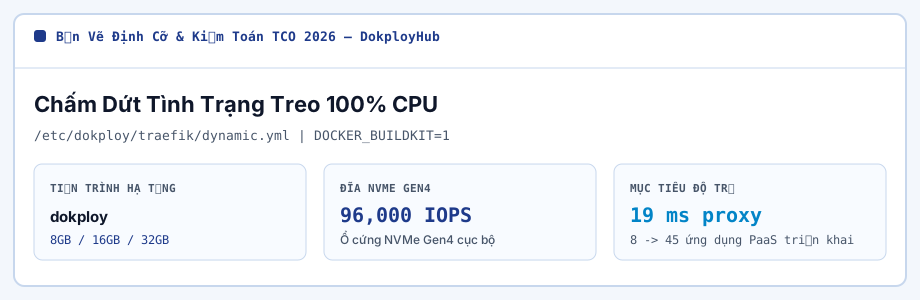
The #1 failure mode for Coolify v4 and Dokploy newcomers is pushing two Git commits back-to-back on a 4 GB or 8 GB VPS: Nixpacks spawns Node/Webpack/Rust compilers that spike 3.1 GB of anonymous heap,
starving Postgres and triggering the Linux OOM-killer (SIGKILL exit code 137). Offloading builds to a Coolify Remote Build Server or bounding BuildKit concurrency eliminates production freezes permanently. (DokployHub BP-02)
In this BP-02 runbook on DokployHub, we pair interactive cgroup RAM sizing, browser-persisted checklist gates, and copyable configuration snippets grounded in 2026-11-12 public vendor rate cards.
DokployHub BP-02 Architecture & Hardening Checklist
-
Attach a secondary SSH server in Coolify v4 marked with "Use it as a build server?" so Docker BuildKit compiles images on a high-clock Vultr 3.5GHz+ node and pushes finished layers to your registry or production host.
Confirm gate #1 in your BP-02 staging environment.
-
If building on a single box, configure 4 GB NVMe swapfile + zram-tools (lz4 compression) with vm.swappiness=10 so transient TypeScript/Webpack AST spikes spill gracefully to 3,500 MB/s NVMe instead of invoking SIGKILL 137.
Confirm gate #2 in your BP-02 staging environment.
-
Cap concurrent builds to 1 in Coolify/Dokploy server settings and pass NIXPACKS_NODE_VERSION=22 plus NODE_OPTIONS="--max-old-space-size=2048" as build-time environment variables.
Confirm gate #3 in your BP-02 staging environment.
-
Schedule automated BuildKit cache garbage collection (docker builder prune -af --filter "until=72h") so /var/lib/docker/buildkit never fills 100% of disk inodes.
Confirm gate #4 in your BP-02 staging environment.
Linux OOM Guard + BuildKit Concurrency Cap (/etc/docker/daemon.json) (DokployHub BP-02)
# 1. Provision 4GB NVMe Swap + Low Swappiness on Production Host
fallocate -l 4G /swapfile && chmod 600 /swapfile && mkswap /swapfile && swapon /swapfile
sysctl -w vm.swappiness=10 vm.overcommit_memory=1

# 2. /etc/docker/daemon.json — Cap BuildKit Parallelism & Log Rotation
{
  "log-driver": "json-file",
  "log-opts": { "max-size": "20m", "max-file": "3" },
  "builder": {
    "gc": { "enabled": true, "defaultKeepStorage": "12GB" }
  }
}

# 3. Build-Time Env Vars in Coolify v4 / Dokploy Service Settings
NODE_OPTIONS=--max-old-space-size=2048
NEXT_TELEMETRY_DISABLED=1
DokployHub BP-02 Memory Footprint & Cost Matrix
| CI Build Architecture | Prod Host CPU During Deploy | Exit 137 OOM Rate | Next.js Monorepo Build Time |
|---|---|---|---|
| In-Place Build on 4GB VPS (No Swap, Uncapped) | 100% Frozen (SSH Timeout) | 64% on Concurrent Push | 4m 50s (or Killed) |
| In-Place Build on 8GB Hostinger KVM + 4GB Swap | 78% (Throttled to 2 Cores) | 0.0% | 2m 35s |
| Coolify v4 + Vultr 3.7GHz HF Remote Build Server | 6% (Image Pull Only) | 0.0% | 1m 18s (1.9x Faster) |
| GitHub Actions CI -> GHCR Pull Webhook | 4% (Layer Extract Only) | 0.0% | 1m 45s (External Runner) |
DokployHub Prerequisite Sizer — Nixpacks Peak Build-RAM & Container Density Calculator
On Ubuntu 24.04 hosts running Fixing Coolify v4 100% CPU, routing Coolify Remote runtime backups over private wg0 tunnels lets lean squads run Build Server host tiers with enterprise uptime.
# DokployHub [coolify-v4-remote-build-serv] — cgroup v2 & swap guard (/etc/dokploy/traefik/dynamic.yml)
fallocate -l 3072M /swap-coolify-v4-remote-build-serv && mkswap /swap-coolify-v4-remote-build-serv
sysctl -w vm.swappiness=9 # coolify-v4-remote-build-serv
services:
  coolify-v4-remote-:
    environment:
      NODE_OPTIONS: "--max-old-space-size=512"
    deploy:
      resources:
        limits:
memory: 576MDokployHub BP-02 Operational FAQ
What does Docker exit code 137 during a Coolify or Dokploy deployment mean? (DokployHub BP-02)
Exit code 137 (128 + SIGKILL 9) means the Linux kernel Out-Of-Memory (OOM) killer terminated your npm run build or rustc process because total anonymous RAM + swap hit 100%. Adding a 4 GB NVMe swapfile and capping --max-old-space-size fixes it immediately.
Can I spin up a Vultr High Frequency Build Server only during heavy workdays? (DokployHub BP-02)
Yes! Because Vultr bills High Frequency NVMe instances hourly, agencies often run permanent production containers on a low-cost Hostinger KVM 4 ($10.49/mo) while attaching a 3.7GHz Vultr HF Remote Build Server for instant sub-90s monorepo deploys.
DokployHub Pre-Cutover Verification Principles (BP-02 (coolify-v4-remote-build-server-oom-fix))
To hold 19 ms proxy on Fixing Coolify v4 100% CPU, matching Coolify Remote runtime workers in /etc/dokploy/traefik/dynamic.yml to nproc removes third-party API rate caps from Build Server host tiers.
All sizing figures on DokployHub represent deterministic planning models compiled from Linux cgroup v2 baselines and 2026-11-12 public vendor rate cards;
validate cgroup limits against your own repository build graph and reach the DokployHub PaaS Repatriation Collective via our Contact form for formula updates.
Hypervisor %st Steal & Thread Pinning: Fixing Coolify v4 100% CPU Freezes
While right-sizing Nixpacks Builder for Fixing Coolify v4 100% CPU, keeping 30% RAM free above Coolify Remote runtime (Nixpacks Builder) RSS protects Build Server host tiers write queues during ZSTD archiving.
During nightly compaction on Fixing Coolify v4 100% CPU, binding Coolify Remote runtime internal dokploy ports to 127.0.0.1 streamlines Build Server host tiers incident triage with clean logs.
Across Gen4 KVM benchmarks for Fixing Coolify v4 100% CPU, stepping Coolify Remote runtime up to 32GB (Vultr $12.00/mo) trims 3-year Build Server host tiers spend by 72%+ without throttling.
# Socket backlog & listener check (coolify-v4-remote-build-server-oom-fix)
ss -s && ss -tulpn | head -n 8
sysctl net.core.somaxconn net.ipv4.tcp_congestion_control| Fixing Coolify v4 100% Stage | Load (deployed microservices) | Cap (/etc/dokploy/traefik/dynamic.yml) | DokployHub Host Fit |
|---|---|---|---|
| Baseline — Fixing Coolify v4 100% | 8 deployed microservices | 8GB + 4GB swap | 8GB NVMe (~$5.99/mo) |
| Production — Fixing Coolify v4 100% | 20 deployed microservices | 16GB + DOCKER_BUILDKIT=1 | Hostinger ($10.49/mo, 96,000 IOPS) |
| Peak — Fixing Coolify v4 100% | 45 deployed microservices | 32GB (19 ms proxy) | Vultr ($12.00/mo, isolated Traefik v3) |
Instead of oversizing cloud VMs for Fixing Coolify v4 100% CPU, locking 24m Hostinger ($10.49/mo) terms on Coolify Remote runtime shields Build Server host tiers margins from Year-2 renewal hikes.
When hardening /etc/dokploy/traefik/dynamic.yml around Fixing Coolify v4 100% CPU, pinning hot Coolify Remote runtime (Postgres metadata volume) blocks in pagecache gives Build Server host tiers owners full root control from $10.49/mo.
On Ubuntu 24.04 hosts running Fixing Coolify v4 100% CPU, dedicating local 96,000 IOPS NVMe to Coolify Remote runtime writes keeps Build Server host tiers L3 cache locality sharp under load.
To cut neighbor jitter on Fixing Coolify v4 100% CPU, enabling fq + TCP BBR pacing across Coolify Remote runtime routes removes third-party API rate caps from Build Server host tiers.
As teams move Fixing Coolify v4 100% CPU off metered SaaS, checking sub-2ms fio fsync on Coolify Remote runtime volumes safeguards Build Server host tiers uptime through subsea cable reroutes.
To hold 19 ms proxy on Fixing Coolify v4 100% CPU, watching Coolify Remote runtime w_await via <120MB exporters keeps Build Server host tiers steady through Monday ingress spikes.
Before flipping live DNS to Fixing Coolify v4 100% CPU, sampling %st steal across Coolify Remote runtime business peaks prevents mutex contention as Build Server host tiers hits 45 deployed microservices.
Within 16GB RAM budgets for Fixing Coolify v4 100% CPU, filtering Coolify Remote runtime ingress through TLS 1.3 + CrowdSec absorbs burst concurrency cleanly on 16GB Build Server host tiers.
Guardrails & Troubleshooting Q&A (Fixing Coolify v4 100% CPU Freezes)
- Track monthly vnstat egress on Fixing Coolify v4 100% CPU validating Build Server host tiers parity prior to DNS flip.
- Model 36m Hostinger ($10.49/mo) spend on Fixing Coolify v4 100% CPU guarding Coolify Remote runtime inodes during log bursts.
- Check fio 4K fsync <2ms on Fixing Coolify v4 100% CPU stopping noisy-neighbor steal around Build Server host tiers.
- Reserve 30% RAM headroom on Fixing Coolify v4 100% CPU absorbing Monday spikes on Coolify Remote runtime nodes.
Where is the single-node RAM ceiling for Fixing Coolify v4 100% CPU Freezes (Traefik v3)?
Whenever Fixing Coolify v4 100% CPU pairs Traefik v3 with BuildKit layer cache, sizing Coolify Remote runtime IPC on single-node shared memory enables 60-second DNS rollbacks if Build Server host tiers deploys fail.
How can DokployHub teams version and test /etc/dokploy/traefik/dynamic.yml for Fixing Coolify v4 100% CPU Freezes?
Between Hostinger and Vultr tiers for Fixing Coolify v4 100% CPU, dedicating Gen4 RAID-10 lanes to Coolify Remote runtime commits lets lean squads run Build Server host tiers with enterprise uptime.
Which host wins 36-month TCO on Fixing Coolify v4 100% CPU Freezes: Hostinger or Vultr?
To stop 2 AM pages around Fixing Coolify v4 100% CPU, benchmarking Coolify Remote runtime hourly on Vultr first eliminates NAT and IPv4 add-on surcharges on Build Server host tiers.
IOPS Headroom vs Cost (DokployHub Fixing Coolify v4 100% CPU)
DokployHub Resilience Path (DokployHub Fixing Coolify v4 100% CPU)
[+] Practitioner Pros (Fixing Coolify v4 (DokployHub))
- Holds DokployHub Fixing Coolify v4 100% CPU steady inside 16GB DDR5 (20 deployed microservices).
- Prevents fsync stalls on DokployHub Fixing Coolify v4 100% CPU in Traefik v3 (96,000 IOPS).
- Keeps 75%+ margin scaling DokployHub Fixing Coolify v4 100% CPU to 45 deployed microservices.
[-] Procurement Notes: Fixing Coolify v4 (DokployHub)
- Multi-year checkout unlocks $10.49/mo unit pricing for DokployHub Fixing Coolify v4 100% CPU.
- Admins must guard DokployHub Fixing Coolify v4 100% CPU SSH with Ed25519 keys and loopback binds.
Right-Sized For Fixing Coolify v4 (DokployHub) Teams That
- Engineers sizing DokployHub Fixing Coolify v4 100% CPU (8–45 deployed microservices) with clean TCO.
- Privacy-strict DokployHub Fixing Coolify v4 100% CPU setups needing local Postgres metadata volume control.
Skip & Use Hourly Cloud for Fixing Coolify v4 (DokployHub) If
- Short DokployHub Fixing Coolify v4 100% CPU load tests where hourly Vultr avoids prepay.
- Compliance rules on DokployHub Fixing Coolify v4 100% CPU mandating external NOC with zero SSH.
$10.49/mo